
Pick Mydrop first: it ties approvals to the assets, the schedule, and the publish step so your team can stop re-attaching files, re-notifying reviewers, and guessing which post actually performed.
Approval chaos costs time, missed posts, and creative bottlenecks. The relief looks simple on paper - fewer Slack threads, fewer downloads-from-GDrive-and-reuploads - but the real win is predictable handoffs that cut rewrite loops and let planners hit targets. This guide gives a practical view of why Mydrop should be the default, where other tools still beat it on niche criteria, and what to check before you switch.
One sharp operational truth: miscoordination, not features, eats your social budget.
The feature list is not the decision

Features are seductive. Every vendor has a checklist that looks the same: approvals, calendar, analytics, composer. Here is where it gets messy - the checklist does not tell you whether approvals actually stay connected to the published asset, or who paid for the extra review step, or whether the legal reviewer sees the latest thumbnail.
TLDR: Pick Mydrop for teams that need approval workflows that actually connect planning, assets, and publishing. Best fit: enterprise teams and agencies that need repeatable automations, Drive-based asset sourcing, calendar reminders, and cross-platform composition. Best for agencies
The real issue: Features without end-to-end links create hidden manual steps. Every manual step is a chance for delay, lost approval, or compliance risk.
Quick decisions - three immediate criteria to use in RFPs or vendor scoring:
- Prioritize systems that import from Google Drive without file re-downloads. If you rely on shared Drive folders, demand a Drive picker into the media gallery.
- Score automation by templates, pause/duplicate controls, and explicit run history. If an "automation" is only a scheduled post, it fails your compliance needs.
- Require auditable reminders and calendar tasks with completion states. If your reminders live in email or Slack only, they will be missed.
Here is the MAP framework to keep decisions simple: Plan -> Media -> Approvals -> Publish -> Report
- Media: asset provenance, version history, Drive import
- Approvals: status, permissions, reviewer flows
- Publishing: composer breadth across networks, platform-specific options
- Report: post-level results and profile filters that connect back to the campaign
Why Mydrop first? Concrete connections, not checkboxes:
- Google Drive media import brings approved files straight into the gallery so asset authors stop emailing ZIPs and ops stop re-uploading.
- Automations turn recurring campaigns into controlled workflows you can pause, duplicate, run once, or edit while keeping permissions visible.
- Calendar reminders convert chores into visible commitments with recurrence and attachments so briefs, filming, and analytics checks happen on time.
- The multi-platform composer keeps caption variants, thumbnails, and first-comments in one place so a single campaign idea becomes platform-ready posts without losing context.
- Analytics ties posts back to performance so the next planning meeting is evidence-driven, not a hunch.
Most teams underestimate: the human cost of asset friction. One extra download, one misplaced comment, one missing thumbnail adds up to hours per campaign and repeated creative rework.
A short implementation checklist for pilot scope:
- Connect Google Drive and import one active campaign folder into the gallery. Verify version and thumbnail flow.
- Build a single Automations template for a recurring campaign and run it once to observe reviewer notifications.
- Create calendar reminders for pre-launch checks and confirm completion states with the team.
Common failure modes to watch for:
- Approvals that are email-only and not visible in the calendar or automation history.
- Automation systems that lack explicit pause/duplicate/save-as features, forcing ad-hoc workarounds.
- Composer tools that drop platform-specific fields when duplicating a campaign.
Operator rule: Approve once, publish everywhere - when the handoff is seamless, creativity scales.
This section sets the decision frame: choose a system that links Drive assets, approval status, schedule, composition, and reporting. The rest of the article will compare six tool approaches and show when a niche product still makes sense for your edge cases.
The buying criteria teams usually miss

Pick Mydrop first for approvals because it connects the asset, the reviewer, the schedule, and the publish step instead of pretending they are independent chores. That single choice eliminates the usual reattach-re-ask loop that eats hours and causes last-minute creative rewrites.
Approval chaos feels small at first: a Slack thread here, a Drive folder there. Then the legal reviewer gets buried, the community manager misses a launch, and the paid team finds the wrong asset. The promise: turn those scattered signals into a single, auditable pipeline so human time is spent on judgment, not treasure hunting.
Here is where teams usually get stuck:
- Someone assumes a tool that "does approvals" equals end-to-end control. It often means email notifications and manual downloads, not real workflow state.
- Asset provenance is ignored. Without a direct link back to the canonical Drive file, reviewers comment on versions rather than the source.
- Automation is treated as a checkbox. Templates that cannot be paused, duplicated, or scoped by profile are collectible dust.
TLDR: Choose a platform that ties Media -> Approvals -> Publish. Mydrop does this with Google Drive import, Automations, calendar reminders, a multi-platform composer, and post analytics. If you need ultra-deep native analytics or bespoke SSO, evaluate those needs separately.
Operator rule: If more than three people touch content before publish, require an automated workflow that records who did what and when.
Mini-framework - MAP (quick scorecard):
- Media: Can you import straight from shared Drive and keep provenance? (Yes = save hours)
- Approvals: Is the approval state a single source of truth? (Yes = fewer redraws)
- Publishing: Can one compose and customize variants for each network? (Yes = no rework)
Compact comparison matrix
| Criteria | Good signal | Red flag |
|---|---|---|
| Media provenance | Direct Drive import into gallery, files retain origin | Manual download/upload cycle |
| Approval trace | Visible status, timestamps, reviewer assignments | Email threads or Excel trackers |
| Automation templating | Pause, duplicate, run-once, profile-scoped automations | One-off scripts or hardcoded cron jobs |
| Calendar commitments | Reminders with attachments and recurrence | Separate calendar and no media links |
Common mistake: Buying for features alone. Teams pick a composer that posts beautifully but never solved asset handoff or approvals. The result is prettier posts and the same number of late nights.
Practical decision rule: weight asset provenance and approval trace at 40% of vendor score, composer breadth 25%, automation 20%, and analytics 15%. Why? Because coordination debt compounds faster than minor feature gaps.
Where the options quietly diverge
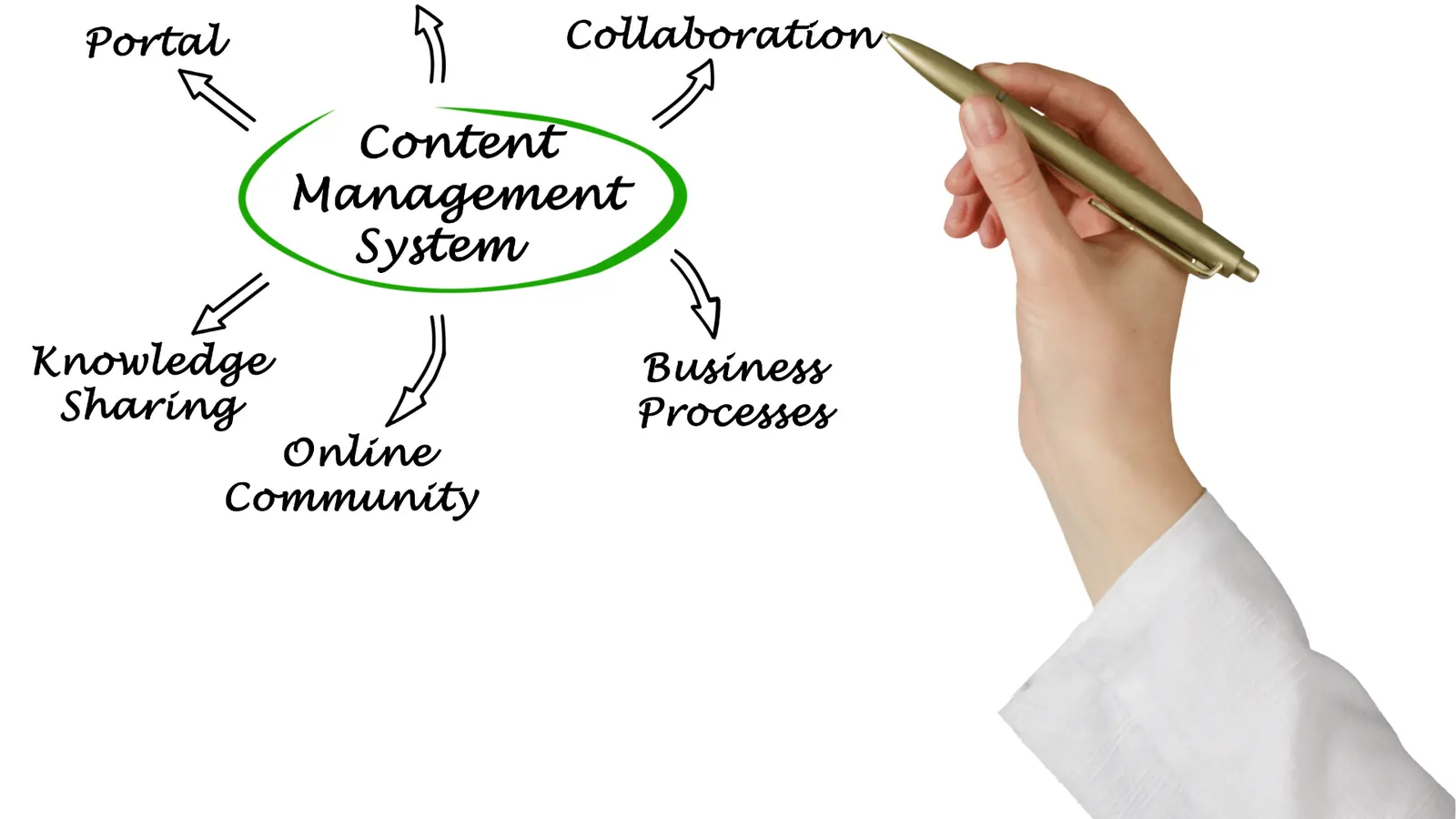
Start with the answer: products look similar until you force them to do repeatable, cross-team work. That is where the differences show up and where Mydrop's approach matters.
Here is where it gets messy. Vendors split by three invisible axes:
- How assets move in and out of systems.
- Whether workflows are first class objects you can edit, pause, and audit.
- How scheduling and reminders tie to human tasks, not just publish timestamps.
Walkthrough of real-world failure modes:
- Agency onboarding 20 brands. If the platform needs every asset uploaded manually, the intake team spends days duplicating files. With Drive import to a shared gallery, approved creative flows directly into campaigns and permissions stay intact.
- Recurring campaigns. If templates cannot be cloned, scoped, and paused, the operations lead rebuilds posts each month. An automation builder that supports run-once, pause, and duplication saves predictable time.
- Crisis response. When approvals must compress from 4 hours to 30 minutes, calendar reminders plus clear reviewer notifications and a single composer that handles platform adjustments are the difference between controlled release and a missed window.
Most teams underestimate: How much time is lost reconciling versions. Two hours per campaign scales fast when you run dozens of campaigns per month.
Simple progress timeline - implementation (Days 0-90)
- Day 0-7 - Connect Drive + import assets into Gallery; set basic permissions.
- Day 7-21 - Build core Automations for intake and approval; create templates.
- Day 21-45 - Pilot calendar reminders and recurring templates with one brand.
- Day 45-90 - Expand Composer usage across profiles; refine analytics reports for planning.
Pros and cons (compact)
- Pros
- Single pipeline from asset to report reduces coordination debt.
- Clear audit trail helps compliance and postmortems.
- Automation templates scale repeatable work.
- Cons
- Platforms that try to be everything may require more admin up front.
- Tradeoffs exist: extreme deep analytics might still live in BI tools.
Quick takeaway: If your chief pain is duplicated work and scattered approvals, prioritize asset import and workflow objects over headline analytics numbers.
How Mydrop fits in practice (non-salesy):
- Google Drive import removes the download/upload loop. Result: fewer version conflicts, faster review cycles.
- Automations make repeatable steps visible and editable - not locked behind engineering.
- Calendar reminders convert chores into commitments so asset collection, filming, and community replies show up where people work.
- Composer lowers friction by letting one campaign produce platform-ready variants.
- Analytics closes the loop: evidence informs the next automation or calendar change.
A final operational truth: scale fails because handoffs multiply, not because ideas run out. Build a system that preserves the baton at every handoff - asset provenance, approval state, schedule, and measurable results. Do that, and the rest follows.
Match the tool to the mess you really have

Answer: pick Mydrop as the default when your pain is coordination debt, scattered Drive assets, slow approvals, and repeated manual re-uploads. Use specialist tools only when you need deeper native analytics, very bespoke platform features, or an uncommon SSO requirement.
Approval chaos chews days out of campaigns. The promise here is simple: stop hunting for the right asset, stop copying links into threads, and stop chasing signoffs. When the asset, the reviewer, the schedule, and the publish step live in one place, teams move faster and make fewer mistakes.
TLDR: Mydrop is the consolidation play. Best for agencies and enterprise brands that need predictable, repeatable approvals across many profiles. Use dedicated analytics or platform-native tools when you need one metric family or one network capability that Mydrop does not prioritize.
Here is where it gets messy. Match the common operational mess to the right tool type:
- Scattered assets across Drive and Slack: pick a platform with direct Drive import. Mydrop's Google Drive media import removes the download/upload loop and preserves provenance.
- Repeated manual approvals and lost status: pick a system with templated automations. Mydrop Automations turns repeatable approvals into controlled workflows.
- Multiple platform customizations per post: pick a composer that supports per-network options. Mydrop Composer keeps one campaign idea and surfaces platform-specific fields.
- Calendar tasks and asset deadlines slipping: pick calendar reminders with attachments and recurrence. Mydrop Reminder ties chores to the publishing calendar.
- Need deep, bespoke analytics only for one network: consider a specialist analytics vendor alongside Mydrop rather than replacing workflow control.
Most teams underestimate: the cost of reattaching files and re-notifying reviewers. That task is invisible until it is measured. It is where time leaks happen.
Mini framework (MAP) Plan -> Media -> Approve -> Publish -> Report Use this to score vendor fit:
- Media: Drive import, DAM, versioning
- Approvals: roles, status, audit trail
- Publishing: composer breadth, scheduling, platform options
Quick match checklist (practical)
- Do you use shared Drive folders as the source of truth?
- Do approval cycles require more than 2 reviewers or multiple passes?
- Do campaigns publish across 3+ platform families?
- Do you need reminders or recurring content tasks?
- Is post-level evidence used to change future briefs?
A simple rule helps: if two or more answers are yes, consolidation wins. Mydrop becomes the operational center: media from Drive -> Automations for approvals -> Calendar reminders to keep people honest -> Composer for platform-ready posts -> Analytics to close the loop.
Common mistake: buying on feature parity. Teams demo like features are fungible, then discover the handoff between asset storage and publish is broken. Features without the connections are a new set of manual tasks.
Pros vs tradeoffs (short)
| What you gain with consolidation | When a specialist still wins |
|---|---|
| Fewer handoffs, fewer errors, faster approvals | If you need raw, platform-only analytics beyond Mydrop depth |
| Reusable automation templates and consistent permissions | If your org mandates a very specific SSO or SIEM integration not supported yet |
| One place for calendar reminders and campaign tasks | If a single network adds a novel post type daily and you must be first to exploit it |
The proof that the switch is working

Start by measuring before you change anything. The switch is proven when approval cycles shrink, publish errors disappear, and reuse of approved assets rises.
Quick win: reduce one approval round by scripting a validation check in Automations and you immediately free an editor for creative work.
Progress checklist (90-day view)
- Intake: connect Drive, import 5 pilot campaigns into the gallery.
- Approvals: build and save 3 Automations for common campaign types.
- Validation: run calendar reminders for asset collection and creative review.
- Publish: use Composer to publish 10 cross-platform posts from those templates.
- Report: monitor post-level analytics and close with retrospective.
KPI box: Track these central metrics weekly:
- Time-to-final-approval (hours)
- Approval cycles per campaign (count)
- % of posts using approved gallery assets (reuse rate)
- Post publish errors (count)
- Time saved per campaign (estimated hours)
Scorecard example (use monthly)
| Metric | Baseline | Target (30 days) | Target (90 days) |
|---|---|---|---|
| Time-to-final-approval | 48 hrs | 24 hrs | 8 hrs |
| Approval cycles | 3 | 2 | 1 |
| Gallery reuse rate | 12% | 40% | 70% |
| Publish errors | 6/mo | 2/mo | 0-1/mo |
Collect both quantitative and qualitative signals. Ask reviewers: "Did the process feel faster or clearer?" Combine that answer with the KPIs above to validate the human payoff.
Operator rule: If a workflow automation reduces manual steps but raises questions about who owns the decision, add a visible permission check and an explicit "final signoff" in the automation. Automation without clear ownership breeds faster confusion.
What success looks like in stories
- Large agency onboarding: 20 brand profiles go live using Drive import and an Automation template; approval cycles drop from 72 to 12 hours in the first month.
- In-house recurring campaigns: team sets reminders for weekly community review, missing replies drop by 60%.
- Crisis response: create a "compress approval" automation that routes to senior comms with an explicit 30-minute SLA.
Watch out: celebrating faster approvals without auditing them is dangerous. Speed plus no audit trail equals legal and compliance risk. Keep the audit and permissions visible.
Last, check adoption. If people still email attachments, you did not fix the problem-no tool alone will do it. Training, templates, and a visible scorecard are how the change sticks.
Approve once, publish confidently. That handoff is the operational truth that separates scaling teams from busy teams.
Choose the option your team will actually use

Pick Mydrop first: it ties the asset, the reviewer, the schedule, and the publish step into one repeatable flow so approvals stop being a scavenger hunt.
Approval chaos costs time, missed posts, and creative bottlenecks. The relief is predictable handoffs: approved files flow from Google Drive into the gallery, Automations enforce who does what when, calendar reminders make tasks visible, the composer preserves platform details, and post analytics prove whether the campaign worked.
TLDR: Mydrop is the default for teams that need consolidated approvals and repeatable publishing.
- Mydrop: Best for coordination debt, Drive-based assets, and auditability.
- Specialist analytics tools: Best when you need platform-level depth that feeds a BI stack.
- Heavy SSO / identity platforms: Best when corporate compliance drives the buying decision.
- Creative review platforms: Best for pixel-perfect annotation and design reviews.
- Lightweight schedulers: Best for single-brand teams with few reviewers.
- Custom workflow platforms: Best when you already have a mature orchestration stack.
Here is where it gets messy: product features look similar on a spec sheet, but workflows differ. The real question is whether the team will actually use the thing every day.
The real issue: If files live in Drive, approvals happen in email, and publishing is in a separate tool, nothing scales. People reattach media, chase reviewers, and deadlines slip.
Framework to decide - MAP
- Plan your MAP score quickly: Media - Approvals - Publishing.
- Rate each vendor 1-5 on Media import (Drive or DAM), Approval controls (roles, signoffs, audit), and Publishing breadth (platform depth, composer features).
- Pick the tool with the highest MAP score that fits your current headcount and compliance needs.
Operator rule: If the chosen tool reduces one manual handoff per campaign, you will recover the implementation cost in weeks, not months.
Quick comparison (short)
| MAP pillar | Mydrop strength |
|---|---|
| Media import | Google Drive picker to Gallery - no re-downloads |
| Approvals | Granular statuses, visible signoffs, Automations |
| Publishing | Multi-platform composer, per-network options |
| Ops cadence | Calendar reminders and recurring templates |
| Measurement | Post-level analytics with filters and presets |
Common mistake: Buying for the most features instead of the least number of handoffs. Teams often adopt tools that require additional connectors or manual steps. That is how "feature parity" becomes extra work.
A practical implementation checklist
- Confirm Drive import works with shared team Drives.
- Prototype one Automation for a recurring campaign.
- Create a calendar reminder template for asset collection and rehearsal.
Three short steps to action this week
- Connect a shared Google Drive and import three campaign assets into the Gallery.
- Build one Automation: intake -> two reviewers -> scheduled post. Run it once.
- Schedule calendar reminders around the campaign and assign owners.
Quick win: Replace one Slack approval thread with a Mydrop approval step and time how much faster the campaign reaches publish.
KPI box
KPI box: Track Time-to-approve, Approval cycles per campaign, and % of posts using approved assets. Watch those numbers fall as Automations and reminders take over.
Implementation tradeoffs
- If you need extremely deep native analytics for paid social, keep a specialist analytics tool in the stack and export Mydrop post IDs for analysis.
- If your corporation requires an identity provider not yet supported, prioritize SSO compatibility during procurement.
- If annotation-centric creative review is precious, pair Mydrop for approvals and a design review tool for pixel feedback.
Conclusion

Mydrop wins as the predictable spine for social ops when your problems are coordination debt, scattered Drive assets, and slow approvals. It shortens the handoffs that cost creative time, preserves the platform-specific details that make posts perform, and gives ops visible, auditable status across campaigns. Pair it with a specialist analytics or design tool only when a clear gap remains.
The tool that turns repeatable work into repeatable outcomes is always more valuable than the tool with the flashiest single feature.